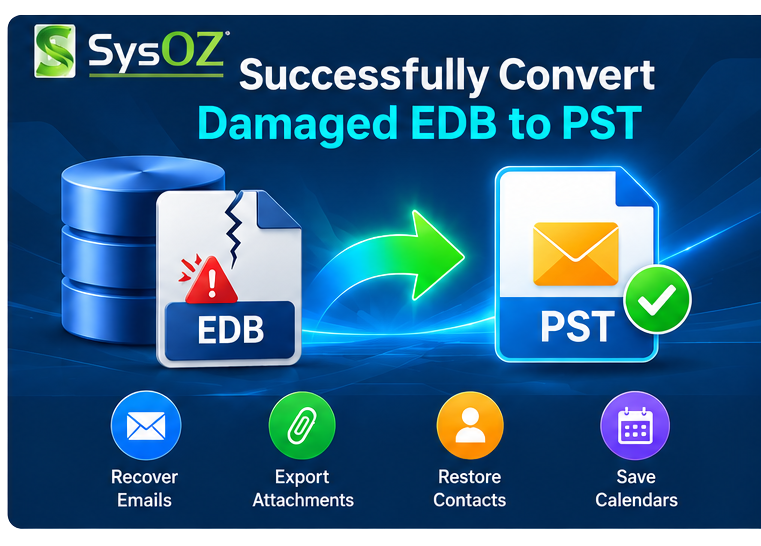
How to Convert Damaged EDB File to PST – Complete Recovery Guide
Exchange Database (EDB) files are used by Microsoft Exchange Server to store important mailbox information, including emails, attachments, contacts, calendars, tasks, notes, journals, and other mailbox data. When an EDB file becomes damaged or inaccessible, accessing the stored mailbox information can become difficult.
Need to convert a damaged EDB file to PST? SysOZ EDB to PST Converter can scan supported Exchange EDB files, preview available mailbox data, and export selected recoverable items to PST. The software is designed to help users work with damaged or inaccessible EDB databases through a guided recovery and conversion process.
For a dedicated EDB recovery and conversion solution, explore the Learn more about SysOZ EDB to PST Converter and its available features for converting and recovering Exchange mailbox data.
In this guide, we will explain the common causes of EDB file damage, available recovery options, and how to convert a damaged EDB file to PST step by step.
What Is a Damaged EDB File?
A damaged EDB file is an Exchange database that has experienced corruption or other problems that prevent normal access to some or all of its mailbox data.
EDB problems can occur for different reasons, including database errors, storage issues, unexpected shutdowns, hardware problems, or other Exchange-related issues.
The amount of data that can be recovered depends on the condition of the original EDB file.
Why Convert a Damaged EDB File to PST?
Converting available mailbox data from a damaged EDB file to PST can be useful when:
The Exchange database cannot be accessed normally
Mailbox data needs to be recovered
An Exchange environment is no longer available
Important emails need to be extracted
Mailbox data needs to be archived
Recovered data needs to be accessed through Outlook
PST provides a convenient format for storing and managing compatible Outlook mailbox data.
How to Convert Damaged EDB File to PST
A typical recovery and conversion process involves the following steps.
Step 1: Create a Backup of the Original EDB

Before attempting any recovery operation, make a copy of the original EDB file.
Working with a backup helps preserve the original database in case additional recovery attempts are required.
Step 2: Select the Damaged EDB File
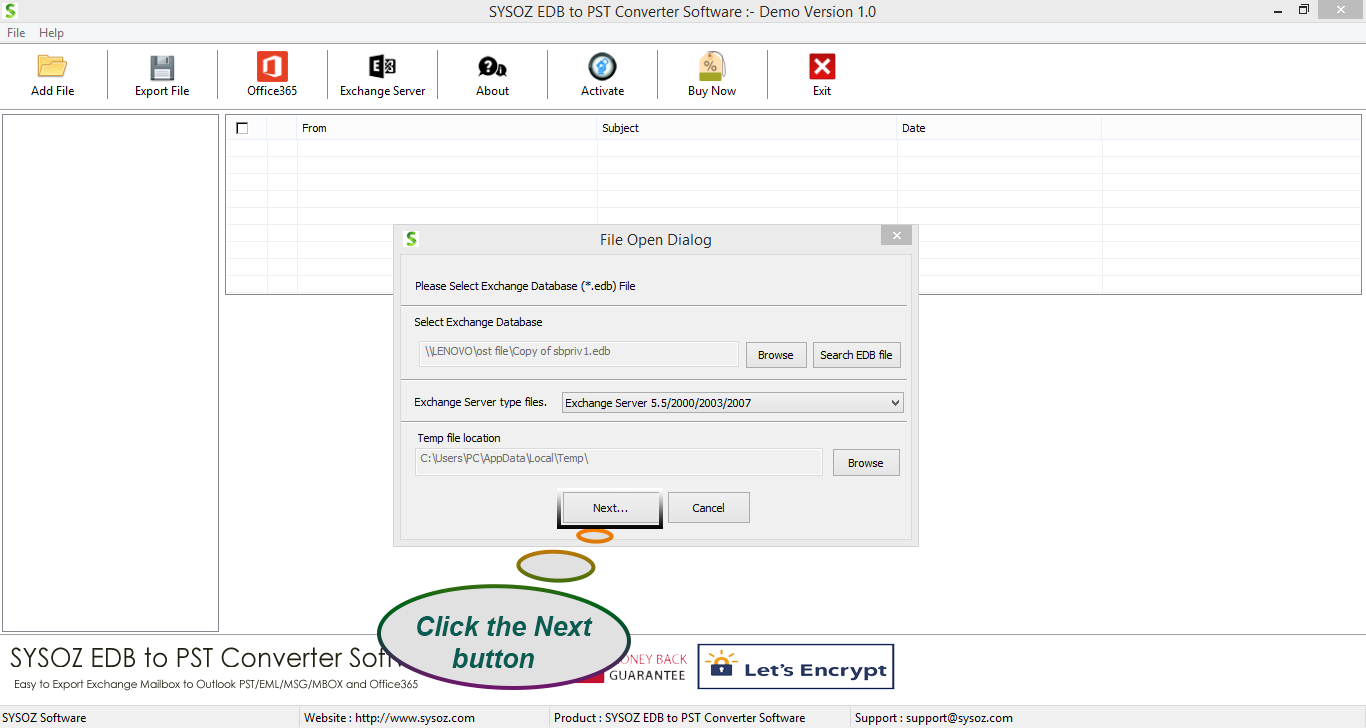
Open an EDB recovery or EDB-to-PST conversion solution and select the damaged Exchange database.
Choose the correct EDB file from your storage location.
Step 3: Scan the EDB File
Start the scanning process.
The software analyzes the database and attempts to identify available mailbox information.
The scanning time can vary depending on the EDB file size, storage performance, and condition of the database.
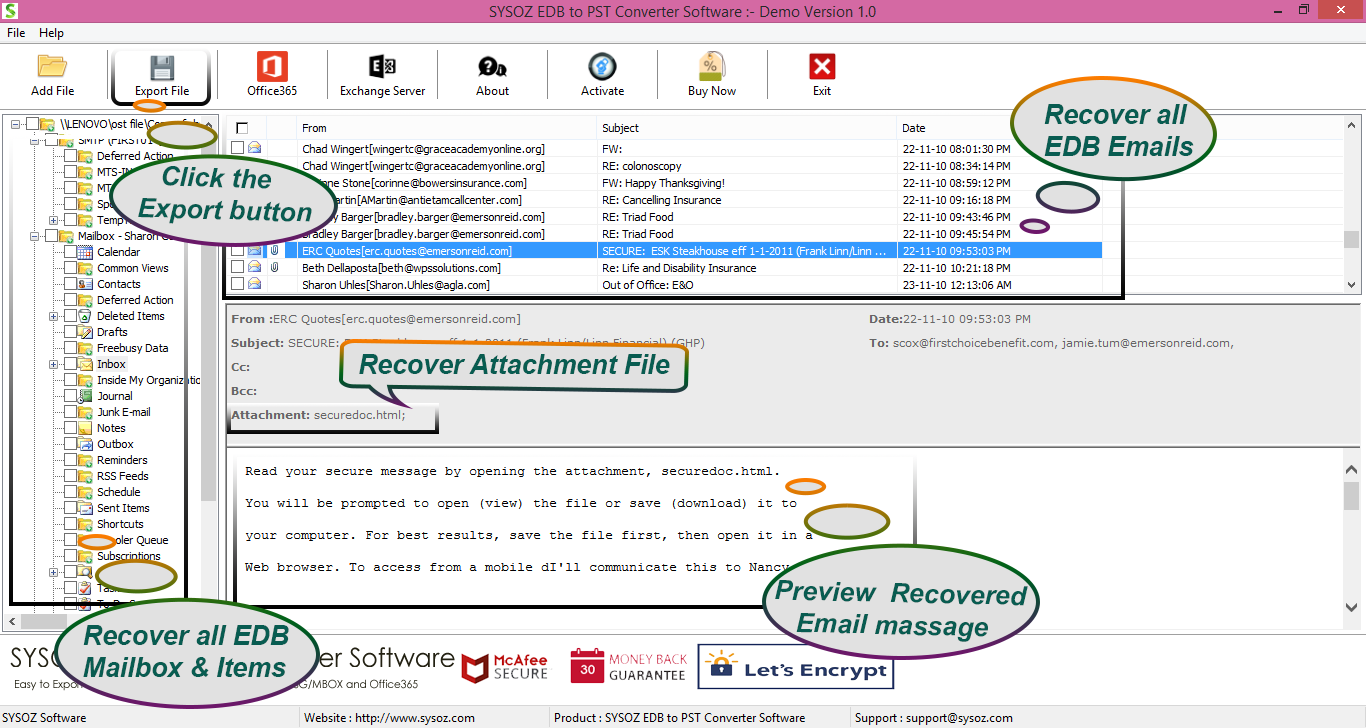
Step 4: Preview Recovered Mailbox Data
After scanning, preview the available mailbox items.
Depending on the condition of the EDB file, the available data may include: Emails, Attachments, Contacts, Calendars, Notes, Journals, Mailbox folders
Previewing the data allows you to determine which mailbox items are available for export.
Step 5: Select the Required Data
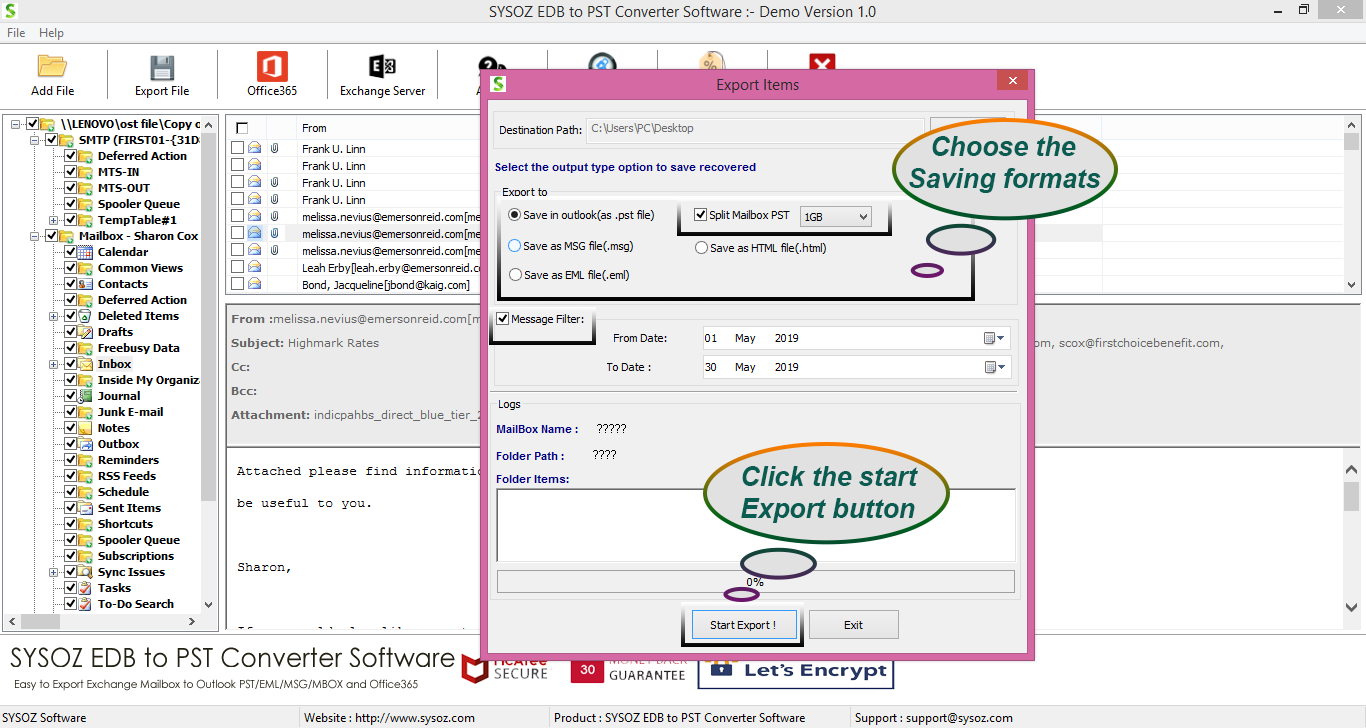
Select the mailbox folders or individual items that you want to recover.
If selective export is supported, you can choose only the required mailbox data.
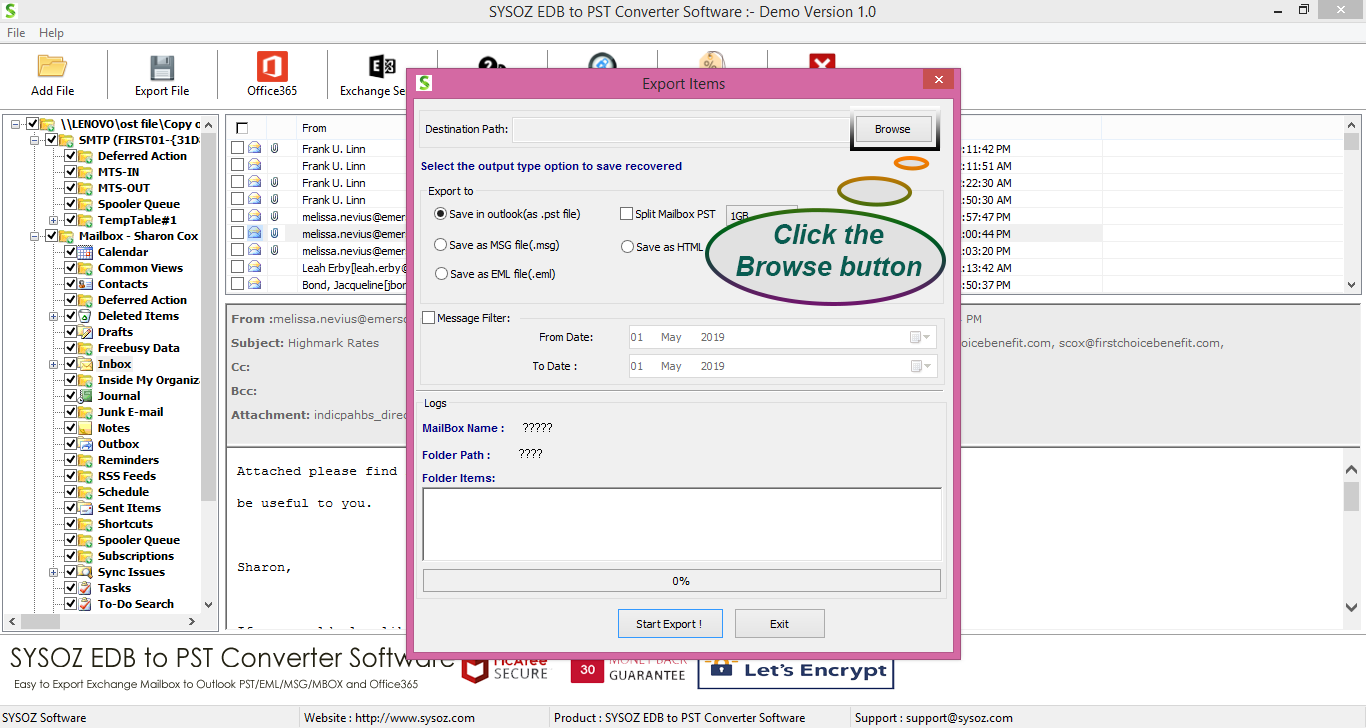
Step 6: Select PST as the Output Format
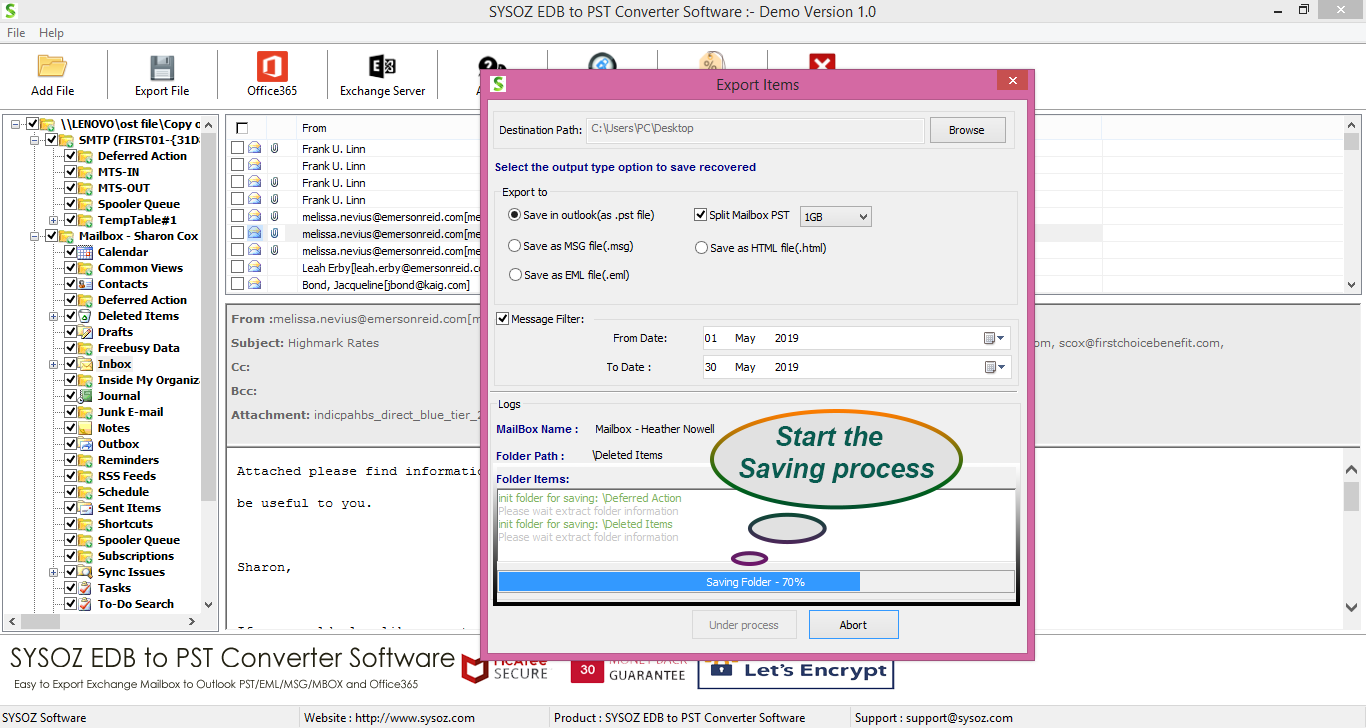
Choose PST as the output format.
Filter Messages and Split PST During EDB Conversion
When working with a large or damaged EDB database, you may not need to export every available email. If supported by the conversion software, a Message Filter can help narrow down the email data according to the available filtering options before export.
For large mailbox exports, a PST Split feature can divide the resulting PST data into smaller files. Smaller PST files can be easier to organize, store and transfer.
These options can provide additional control when converting recovered EDB mailbox data to PST.
Select an appropriate destination folder where the converted PST file can be saved.
Step 7: Export the Recovered Data
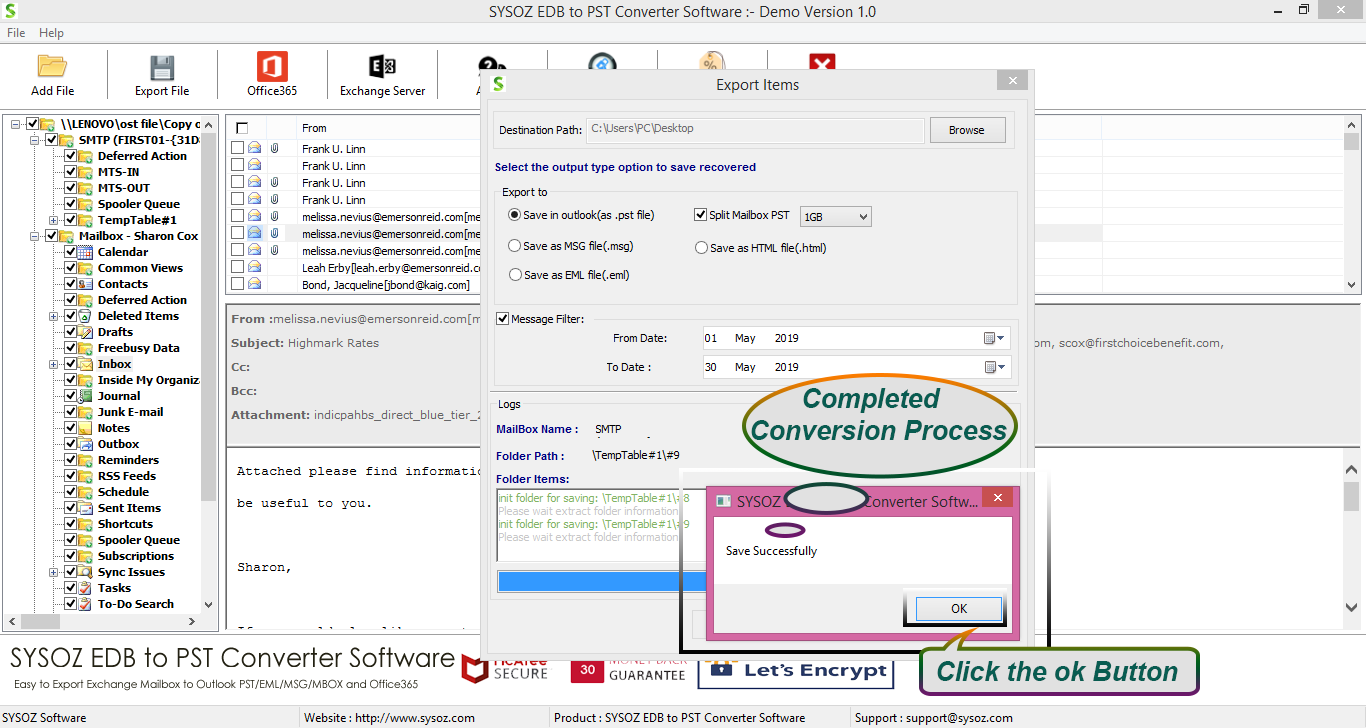
Start the export process.
The available mailbox data is saved in PST format according to the selected export options.
After the process is completed, open the resulting PST in a compatible version of Outlook and verify the recovered data.
How to Recover Emails from a Corrupted EDB File
If your primary requirement is recovering emails, first scan the EDB file and check the available mailbox folders.
Previewing the mailbox data before export helps determine whether the required emails and attachments are available.
You can then select the required folders or mailbox items and export them to PST if supported by the recovery solution.
EDB to PST Converter for Damaged EDB Files
SysOZ EDB to PST Converter provides a dedicated approach for scanning Exchange EDB files, previewing available mailbox data, and exporting selected mailbox information to PST.
Depending on the condition of the source EDB file, available mailbox items may include emails, attachments, contacts, calendars and other mailbox data.
Learn more about SysOZ EDB to PST Converter
For more information about EDB scanning, preview and PST export features, see:
Things to Check Before EDB Recovery
Before starting the recovery process:
1. Keep a backup of the original EDB file.
2. Avoid modifying the original database.
3. Make sure enough storage space is available.
4. Check the size and condition of the EDB file.
5. Preview available mailbox data before exporting when possible.
6. Verify the resulting PST file in Outlook after conversion.
7. Understand that severely damaged databases may have limited recoverable data.
Damaged EDB vs. Normal EDB
A normal EDB file may be accessible through the Exchange environment, allowing administrators to use supported Exchange tools and procedures for mailbox management or export.
A damaged or inaccessible EDB file may require additional recovery steps to identify and extract available mailbox data.
Therefore, the appropriate method depends on whether the database is accessible and the extent of any corruption.
Frequently Asked Questions
A corrupted EDB file may be recoverable depending on its condition. A specialized EDB recovery or conversion solution can scan the database and identify available mailbox data for export.
If the email data remains available within the damaged database, it may be possible to preview and export the recoverable emails.
Attachments may be available if the corresponding mailbox data remains recoverable in the EDB file.
It is recommended to keep a backup copy of the original EDB before attempting recovery or conversion.
The processing time depends on factors such as EDB file size, storage performance, system resources, and the condition of the database.
Not necessarily. Recovery depends on the condition and structure of the source EDB file. Severely damaged files may contain data that cannot be fully recovered.
If the EDB conversion software supports message filtering, you can use the available filtering options to narrow down the mailbox data before export. This can be useful when you only need specific email information from a large EDB database.
Yes. SysOZ EDB to PST Converter provides a PST Split option that can divide exported PST data into smaller files according to the available splitting options.
Yes. SysOZ EDB to PST Converter provides a PST Split option that can divide exported PST data into smaller files according to the available splitting options. This can make large PST output easier to store, transfer, organize and manage.
Conclusion
Converting a damaged EDB file to PST can provide a way to access available Exchange mailbox data when the original database cannot be accessed normally.
A typical process involves creating a backup, scanning the EDB file, previewing available mailbox data, selecting the required items, and exporting the recoverable data to PST.
Because every damaged EDB file can have a different condition, the amount of recoverable data depends on the source database. Previewing the available data before export is therefore an important part of the recovery process.
If you need to recover available mailbox data from a damaged Exchange EDB file, SysOZ EDB to PST Converter can help you scan, preview, select and export the recoverable data to PST.
Explore SysOZ EDB to PST Converter to learn more about EDB recovery, PST export, Message Filter and PST Split features.
Free Download Purchase
Comments