How to Recover Deleted Outlook OST File
When Microsoft Outlook is set up with an Exchange, Microsoft 365 or IMAP environment, the mailbox data including emails, contacts, calendar, tasks, notes, attachments, etc. gets saved in OST files. In case of accidental deletion, corruption, loss, or removal of OST file, retrieving mailbox data may become a challenge. Under these circumstances, individuals may try finding an efficient method to accomplish OST recovery and restore crucial mailbox data.
What must be understood is that merely deleting the OST file doesn’t always mean that the mailbox data is lost forever. In most cases, the OST file has a synchronized copy of mailbox data, and therefore, the data may be easily retrieved as long as there is proper connection between the account and the mail server. But if the mailbox data isn’t available on the server or if there is unsynchronized data in the OST file, a different process must be used.
Why Do Users Need to Recover a Deleted OST File?
OST file may get deleted accidentally during the process of cleaning the drive, removing Outlook from computer, updating account setting or resolving problems in Outlook application. In addition, one may not have access to the OST file due to reasons like hard drive failure, crashes of system, virus attack, unintentional formatting or corruption of the file. It gets much more complicated when the OST file has emails or other information that is not synchronized with server.
For crucial or inaccessible OST file, one can use an advanced tool known as OST to PST converter in order to recover data from the OST file. The software can scan the selected OST file and assist the users in saving the recoverable data from the mailbox in PST and other formats.
How to Recover Deleted Outlook OST File?
First of all, one needs to see whether the deleted OST file is still there in the Recycle Bin or any other such repository where it might have been backed up. In case the file was deleted recently, getting it back from the Recycle Bin might be a simple process.
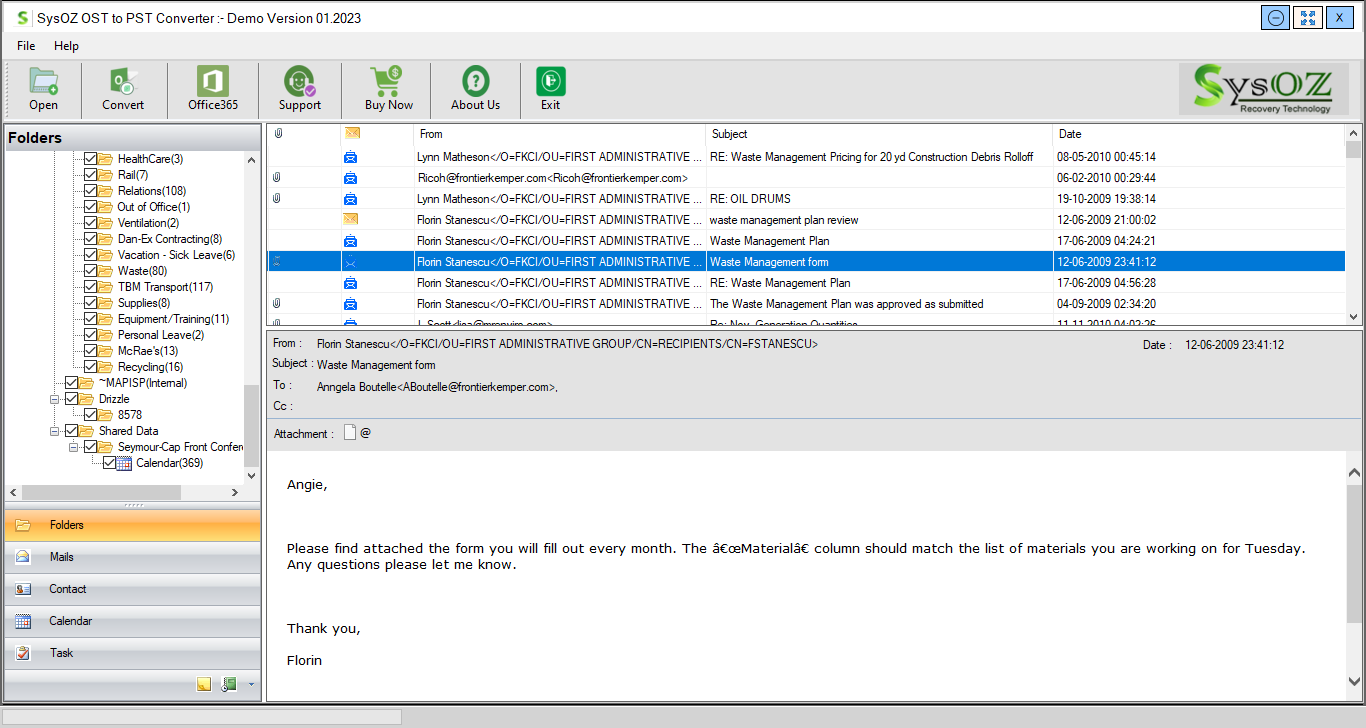
In case the OST file is available, yet cannot be opened by the user via the Outlook software, he or she might want to try and use the special recovery/conversion program. Using the professional OST to PST converter will allow one to see the mailbox folders of the file and select the recoverable files.
Upon importing the OST file, the user has the option of previewing the mailbox data that needs to be converted. This preview is helpful since it enables the user to validate the data including folders, emails, attachments, contacts, calendars, and many other pieces of information. After identification of the necessary data, the users can convert outlook OST to PST and generate a readable PST file.
Converting OST to PST offers the facility of exporting the files without rebuilding the entire mailbox structure. Based on the options provided by the software, users have the choice of exporting selected folders or converting the entire OST file. Preserving the original folder structure can make organization of the recovered mailbox data more convenient.
Recover Deleted Emails from OST Files
The major reason behind the users' interest in OST recovery is the necessity to extract some essential emails that were either deleted or cannot be accessed at all. In case the OST file still has some recoverable mailbox information stored inside it, there is a way of scanning it and showing all available emails. This will be helpful in the case when users have to extract some information from an outdated or non-accessible profile of Outlook.
Yet again, it is worth mentioning that the chances of the information recovery depend on the condition of the OST file and whether the needed information is stored in the file or not. It means that in case the data was permanently overwritten, there is no chance of its recovery by any conversion tool.
Convert OST Data into an Accessible PST File
The primary advantage of conversion from OST to PST is that PST is a portable Outlook storage file which can be accessed on its own. Converting the accessible OST file into PST will allow the user to retain their mailbox information and access it via Outlook whenever necessary.
A specific tool can make this task easier as the user can simply choose the source OST file, scan it, view its mailbox folders, and save the retrieved information in PST format. This method could be useful for users who wish to keep their old Outlook data intact, retrieve information from an orphaned OST file, or keep a backup of their mailbox contents.
Conclusion
OST file restoration will depend on the location from which the file was deleted and if there is still the necessary mailbox information. This involves looking into backups and the Recycle Bin as your first step. If you have the OST file but it’s not accessible, there are professional solutions such as an OST to PST converter that can help to undertake OST restoration, preview mailbox data, convert outlook OST to PST, and export OST to PST files in an easy way. This will allow you to keep your emails and other important OST mailbox information.
Recover Data from an Inaccessible OST File
If your Outlook OST file is inaccessible, SysOZ OST Recovery can help you scan the file and preview recoverable mailbox data. Recovery results depend on the condition of the OST file and the data available in it.
Learn more about SysOZ OST Recovery.
Comments